> ## Documentation Index
> Fetch the complete documentation index at: https://ayrshare.mintlify.site/llms.txt
> Use this file to discover all available pages before exploring further.
# استكشاف مشكلات النشر على إنستجرام وحلها | وثائق Ayrshare
> أصلح مشكلات النشر الشائعة على إنستجرام في Ayrshare، بما في ذلك حالات فشل النشر وأخطاء تنسيقات الوسائط وأذونات الحساب، مع حلول خطوة بخطوة.
إذا تلقّيت خطأ عند النشر يتعلق بمشكلات في أذونات إنستجرام أو أن حسابك غير مرتبط، رغم أنك ربطت حساب فيسبوك، فقد يكون بعض أذونات الوصول لم يُمنح.
على سبيل المثال، إذا تلقّيت الأخطاء التالية:
-
*Unsupported post request. Object with ID \[id number] does not exist,
cannot be loaded due to missing permissions, or does not support this
operation. Please read the Graph API documentation*
أو
- *There is an issue with your Instagram account type or permissions.*
اتّبع الخطوات التالية:
### 1. تحقّق من أن حساب إنستجرام للأعمال لا يزال مرتبطًا بصفحة فيسبوك
إذا استخدمت اتصالات صفحة فيسبوك، فتأكّد من أن حساب إنستجرام لديك من نوع Business ومرتبط بصفحة فيسبوك.
1. سجّل الدخول إلى فيسبوك وانتقل إلى صفحة فيسبوك الخاصة بك. اضغط على "Settings" (الإعدادات) من القائمة اليسرى على الشاشة.
2. اختر "Instagram" وتحقّق من ربط حساب إنستجرام، أو اضغط على "Connect Account" (ربط الحساب).
3. قم بفصل حساب إنستجرام وإعادة ربطه في لوحة تحكم Ayrshare ضمن "Social Accounts".
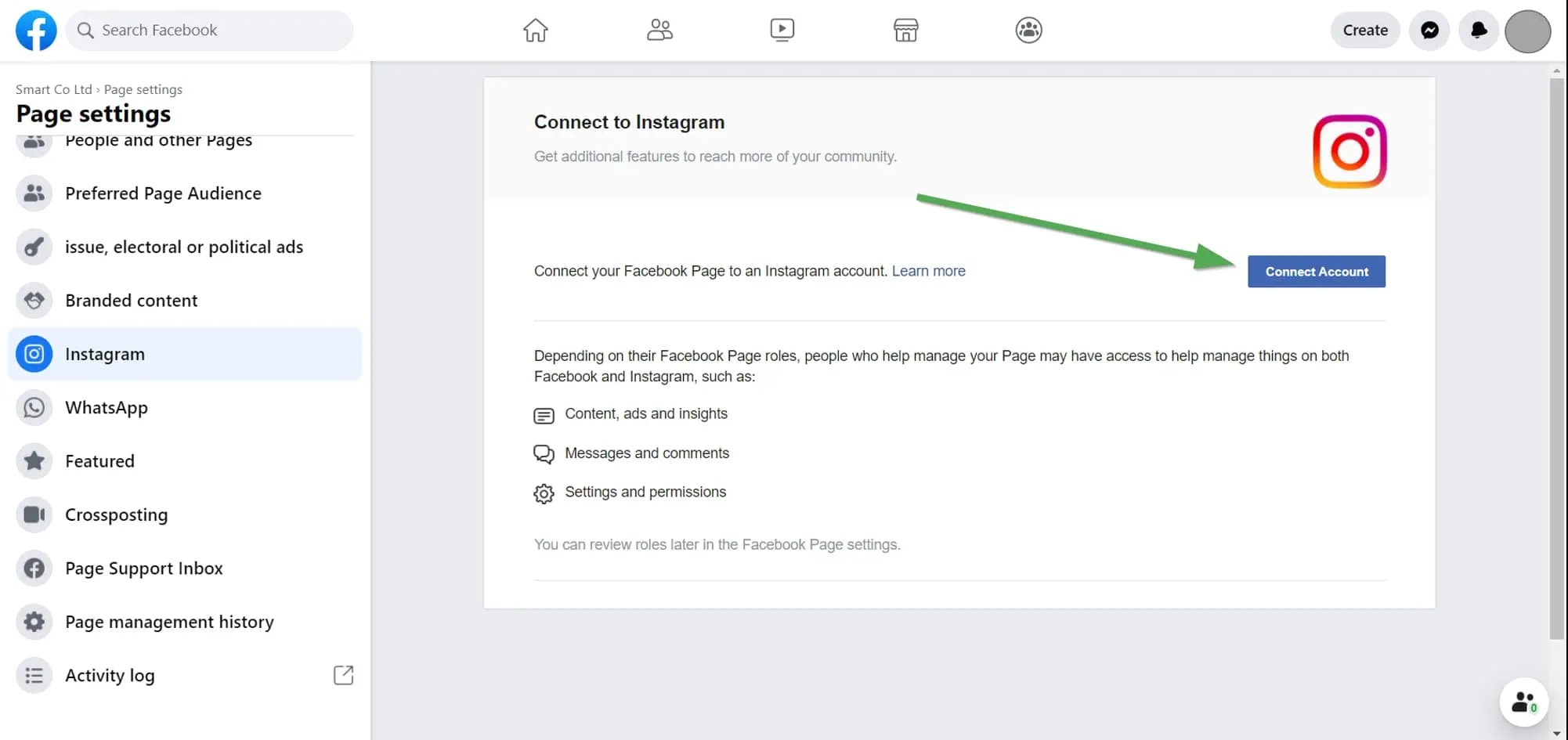 راجع هنا لمزيد من التفاصيل:
### 2. تحقّق من أذونات إنستجرام
إذا استمرت المشكلة، تحقّق من الأذونات الممنوحة لـ Ayrshare.
سجّل الدخول إلى فيسبوك وانتقل إلى "Setting" -> "Settings & Privacy" -> "Security & Login" -> "Business Integration".
اضغط هنا للانتقال المباشر
في [صفحة Business Integration](https://www.facebook.com/help/405094243235242/)، اضغط على تطبيق Ayrshare.
راجع هنا لمزيد من التفاصيل:
### 2. تحقّق من أذونات إنستجرام
إذا استمرت المشكلة، تحقّق من الأذونات الممنوحة لـ Ayrshare.
سجّل الدخول إلى فيسبوك وانتقل إلى "Setting" -> "Settings & Privacy" -> "Security & Login" -> "Business Integration".
اضغط هنا للانتقال المباشر
في [صفحة Business Integration](https://www.facebook.com/help/405094243235242/)، اضغط على تطبيق Ayrshare.
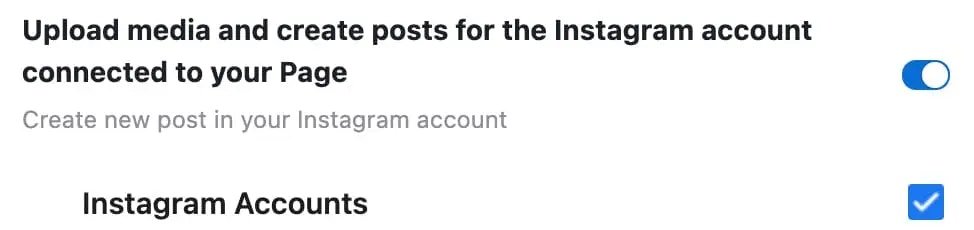
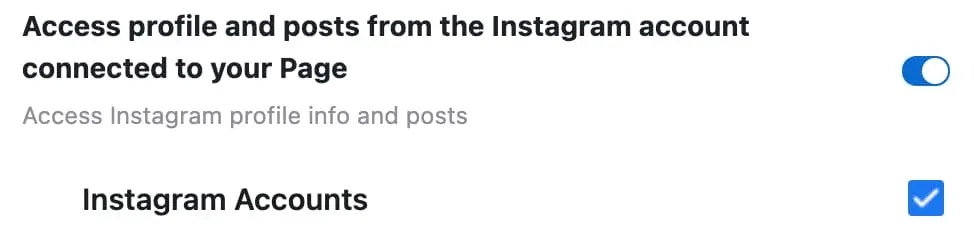
 ستظهر نافذة منبثقة. مرّر إلى الأسفل إلى "Upload media and create post for Instagram" و"Access profile and posts for Instagram". حدّد كلا مربعَي "Instagram Accounts":
 اضغط على "Save" (حفظ).
عد إلى لوحة تحكم Ayrshare وقم بفصل إنستجرام وإعادة ربطه. من المفترض أن تحصل الآن على الأذونات الصحيحة.
اضغط على "Save" (حفظ).
عد إلى لوحة تحكم Ayrshare وقم بفصل إنستجرام وإعادة ربطه. من المفترض أن تحصل الآن على الأذونات الصحيحة.